


Open source, self-hosted customer support software for email, live chat, and WhatsApp. Distributed as a single binary.
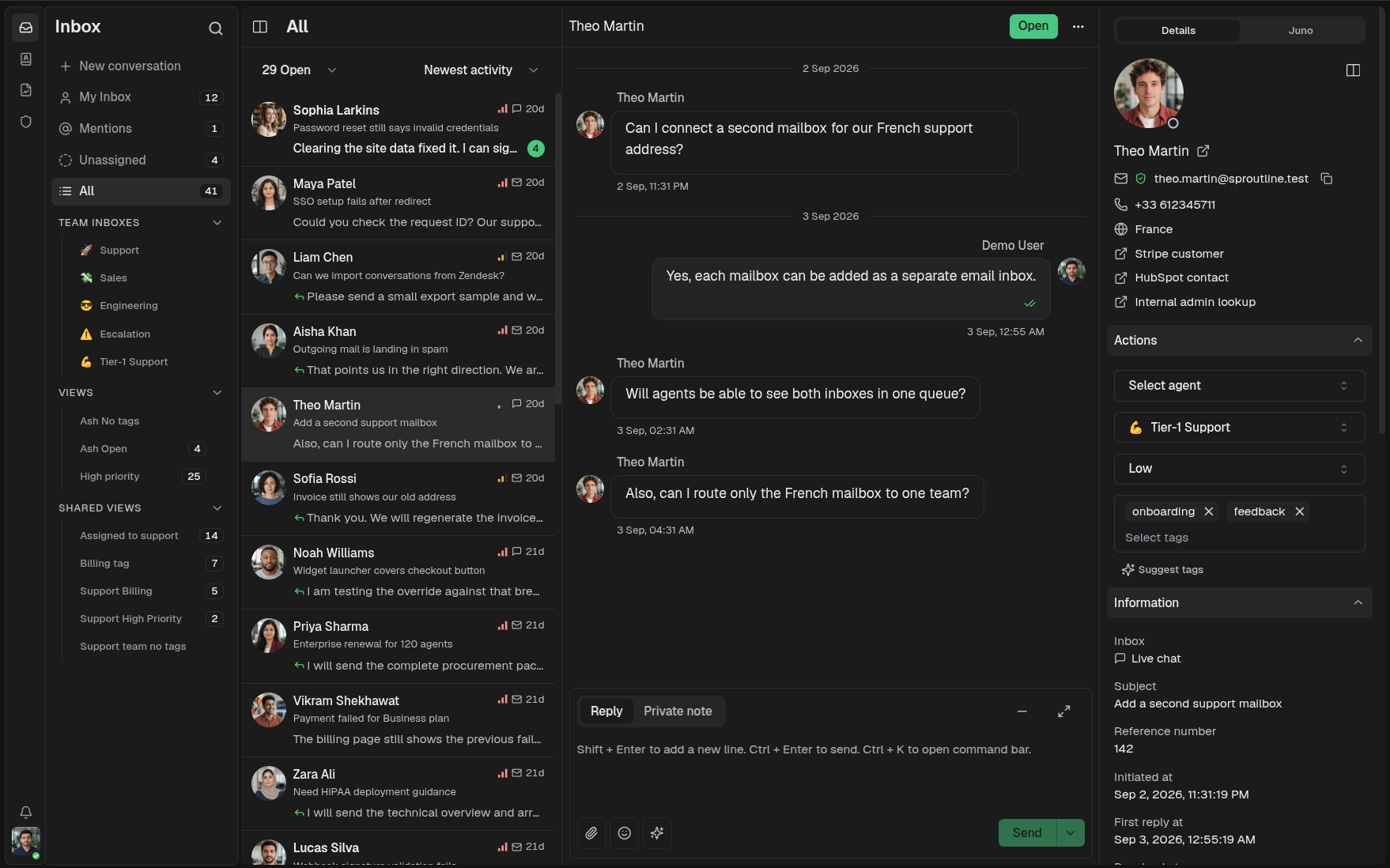
Visit libredesk.io for more info. Check out the live demo.
- Shared inbox: Handle email, live chat, and WhatsApp conversations in one place.
- Live chat: Add a real-time chat widget to your website.
- WhatsApp: Connect a number through the Meta Cloud API.
- Inbox organization: Use teams, tags, custom statuses, custom attributes, snoozing, and search.
- Help center: Publish a searchable, multilingual knowledge base.
- AI assistant: Answer live chat questions using your knowledge base and hand conversations to an agent when needed.
- Agent copilot: Draft replies, summarize conversations, and find answers without leaving the inbox.
- Automations: Tag, assign, and route conversations using rules you define.
- Macros: Send saved replies and apply conversation actions in one step.
- Auto assignment: Distribute incoming conversations by agent capacity or your own criteria.
- SLA management: Set response targets and get notified about conversations at risk of breaching them.
- CSAT and analytics: Collect customer ratings and track response times, resolution rates, and agent activity.
- Permissions and SSO: Create roles with per-action permissions and sign in through Google, Microsoft, or another OIDC provider.
- Activity logs: Review actions performed by agents and admins.
- API and webhooks: Connect LibreDesk to other systems and workflows.
See libredesk.io for the full feature set, or try the live demo.
The fastest way to get a libredesk instance running. Railway provisions the app, Postgres, and Redis for you.

The latest image is available on DockerHub at libredesk/libredesk:latest
# Download the compose file and sample config file in the current directory.
curl -LO https://github.com/abhinavxd/libredesk/raw/main/docker-compose.yml
curl -LO https://github.com/abhinavxd/libredesk/raw/main/config.sample.toml

# Copy the config.sample.toml to config.toml and edit it as needed.
cp config.sample.toml config.toml

# Run the services in the background.
docker compose up -d

# Setting System user password.
docker exec -it libredesk_app ./libredesk --set-system-user-password
Go to http://localhost:9000 and login with username System and the password you set using the --set-system-user-password command.
- Download the latest release and extract the libredesk binary.
- Edit config.toml as needed.
./libredesk --installto setup the Postgres DB.- Run
./libredesk --set-system-user-passwordto set the password for the System user. - Run
./libredeskand visithttp://localhost:9000and login with emailSystemand the password you set using the --set-system-user-password command.
- If you are interested in contributing, please read CONTRIBUTING.md first.
- For local development and setup, refer to the developer setup.
- For planned features and project direction, see ROADMAP.md.
The backend is written in Go and the frontend is Vue.js 3 with Shadcn UI.
You can help translate libredesk into your language on Crowdin.